Well I would take some screenshots to prove that I was actually right, and its totally screwed every effect I've worked on the last couple years. For some reason everytime I try to take a screenshot in the latest build the paste is completely black.
I strongly strongly strongly protest against the change, or request a toggle to turn this behaviour off for mods or on an individual particle basis. It looks awful, sprites are stretched and bent out of shape, nothing can be flush with the ground anymore, so creating things like smoke screens etc is impossible. And sprite centers ARE being raised despite what anybody here seems to think. Nothing can be partially underground at all.
Help with effects
Moderators: GSH, Commando, Red Devil, VSMIT
-
MrTwosheds
- Recycler
- Posts: 3059
- Joined: Sat Feb 19, 2011 8:37 am
- Location: Outer Space
- Contact:
Re: Help with effects
Hmm, making draw_twirl work as it should is a good thing, maybe you should experiment with some other effects like draw_sprite or sim_dust?
Re: Help with effects
draw_twirl is the basis for almost all effects, draw_sprites don't support rotation, so in smoke/flames/anything that needs to look random in the slightest they don't look any good, and sim_dust locks the center of any particle to the ground so that they can't leave it, even if they are given upward velocity. draw_twirl is... everything.
A toggle would be the best fix, on a per-particle system basis even better but an overall toggle would do just fine. It:
A) Keeps everbody happy
B) Enables you to make use of the wierd effects you get with terrain interaction
C) Can't be all that tough to add anyway because it was added back in with a snap of the fingers...
I don't want to blow my own trumpet, but I feel the need to say I've created some of the best looking particle systems in BZ2 so far with terrain interaction OFF, and would like them to stay the way they are. Every single particle I've added ive been in and out the editor with a customized craft over and over, at least 5 or 6 times, to get them looking the way they do and its a **** of work. Terrain Interaction is NOT a subtle effect on the work i've done, its a borker. Some effects RELY on a fully-sized particle being able to start underground.
Just a toggle... thats all.
A toggle would be the best fix, on a per-particle system basis even better but an overall toggle would do just fine. It:
A) Keeps everbody happy
B) Enables you to make use of the wierd effects you get with terrain interaction
C) Can't be all that tough to add anyway because it was added back in with a snap of the fingers...
I don't want to blow my own trumpet, but I feel the need to say I've created some of the best looking particle systems in BZ2 so far with terrain interaction OFF, and would like them to stay the way they are. Every single particle I've added ive been in and out the editor with a customized craft over and over, at least 5 or 6 times, to get them looking the way they do and its a **** of work. Terrain Interaction is NOT a subtle effect on the work i've done, its a borker. Some effects RELY on a fully-sized particle being able to start underground.
Just a toggle... thats all.
Re: Help with effects
Completely off topic, but what is your opinion of corporate lobbyists?TheJamsh wrote:draw_twirl is the basis for almost all effects, draw_sprites don't support rotation, so in smoke/flames/anything that needs to look random in the slightest they don't look any good, and sim_dust locks the center of any particle to the ground so that they can't leave it, even if they are given upward velocity. draw_twirl is... everything.
A toggle would be the best fix, on a per-particle system basis even better but an overall toggle would do just fine. It:
A) Keeps everbody happy
B) Enables you to make use of the wierd effects you get with terrain interaction
C) Can't be all that tough to add anyway because it was added back in with a snap of the fingers...
I don't want to blow my own trumpet, but I feel the need to say I've created some of the best looking particle systems in BZ2 so far with terrain interaction OFF, and would like them to stay the way they are. Every single particle I've added ive been in and out the editor with a customized craft over and over, at least 5 or 6 times, to get them looking the way they do and its a **** of work. Terrain Interaction is NOT a subtle effect on the work i've done, its a borker. Some effects RELY on a fully-sized particle being able to start underground.
Just a toggle... thats all.

Re: Help with effects
I think it's a good idea, but you're going about it the wrong way 
Re: Help with effects
[From Other Thread]
Screenshots. Each has a description. I think the last two in particular pretty much prove my point... And I WAS right about the raising. In fact, I was right about everything. Bare in mind these are just stills, in video form the effects are even more problematic and obvious.
Latest build. Minigun sprite is raised above ground and squished. Now the effect is an obvious blue artifact in the particle system.
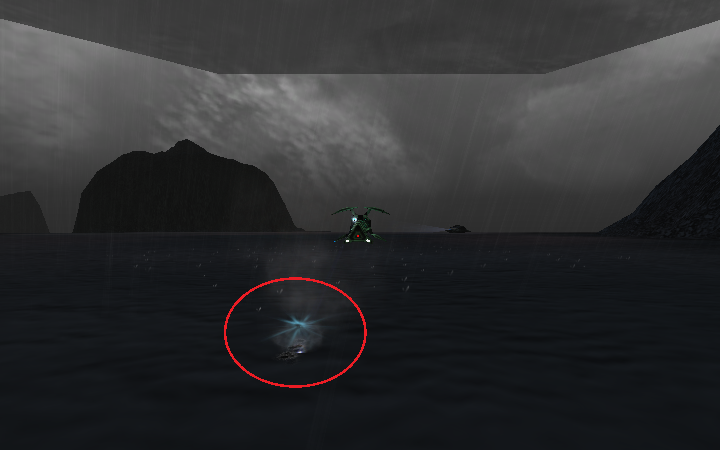
1.3.6.1, How its supposed to look. The sprite is properly agaisnt the ground, it can be given random rotation and not appear to clip because of the way the sprite texture looks.
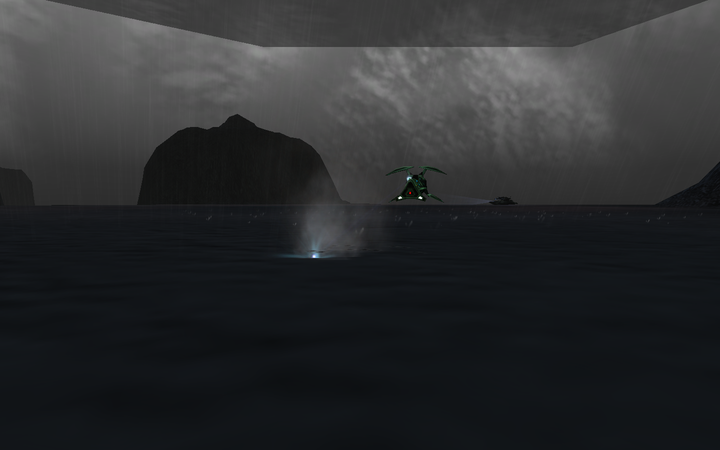
Latest Build. If the FAF missile gets close enough to the ground, the flare is raised and squashed, but moves completely away from the missile. In-game this looks ridiculous...
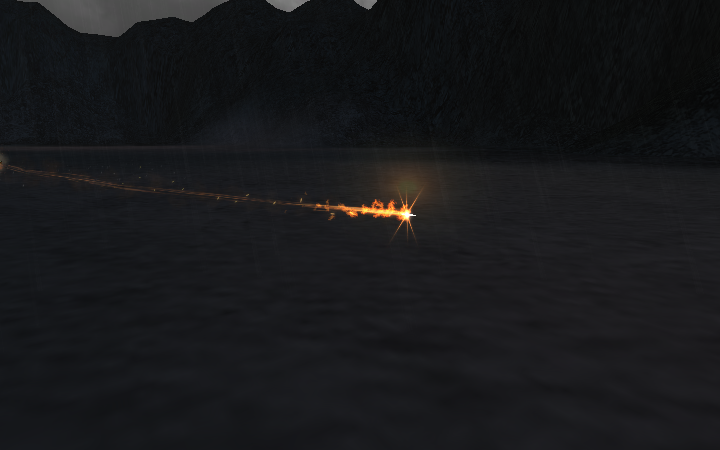
How its supposed to look. Notice that the clipping is far less noticeable than the raising and squashing of the sprite.
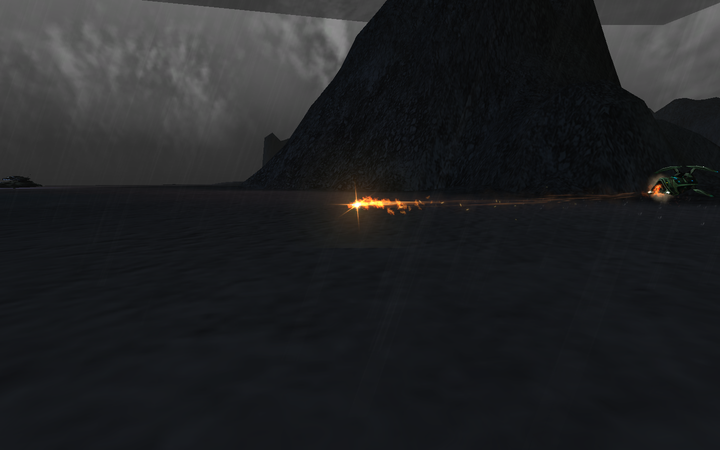
Latest build. This time the FAF ground explosion. Now all the smoke particles have been raised and have a far too distinct edge all the way around. Because they are squashed together, they also become way too obvious and thick, blocking out the rest of the effect.
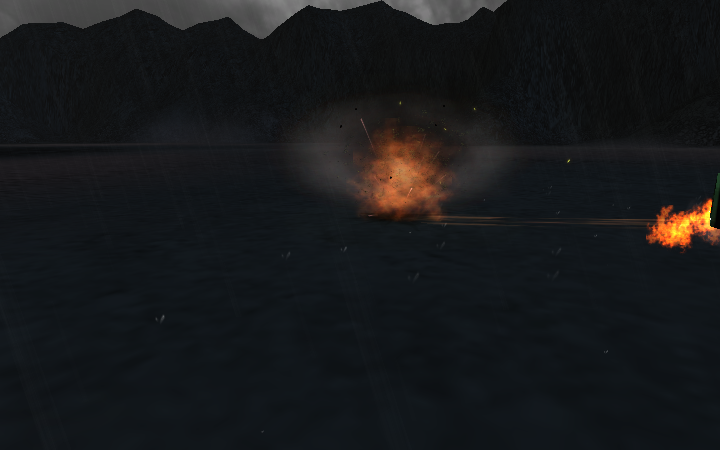
How its supposed to look. The edging this time is caused by the customised lightflare.tga file, but the smoke itself is pretty much seamless into the surroundings. Again, the clipping effect is far less obvious than the raising and squashing.
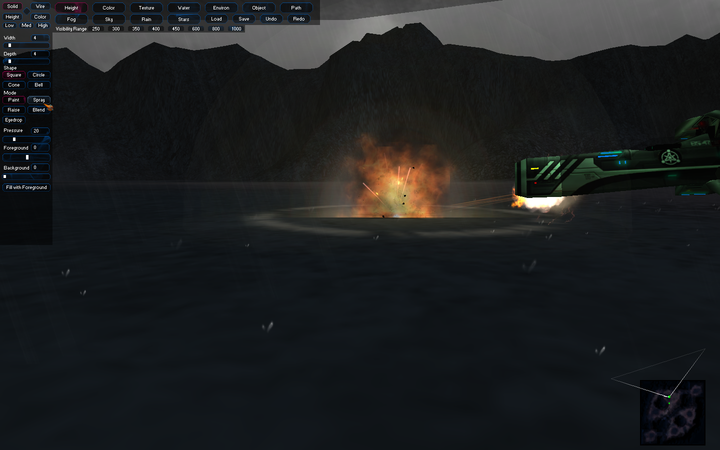
Latest build. Again problems with the larger sprites being moved and squashed. This time a soft flare used in this effect to compensate for poor lighting effects is raised and squashed, it doesn't even look like its related to the rest of the effect...
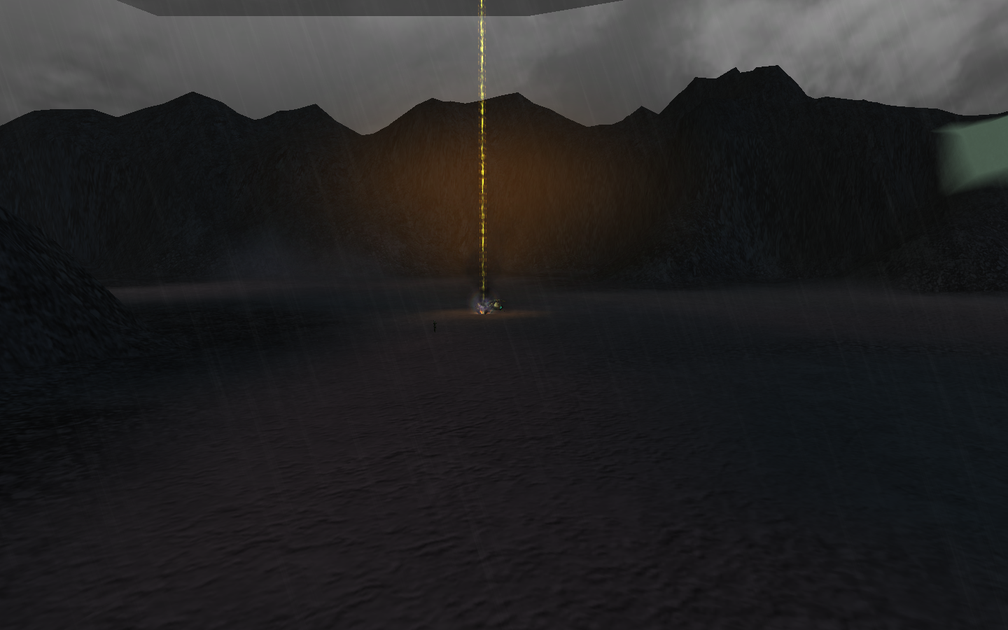
How its supposed to look. Now the flare works properly. Again, clipping is barely noticeable, even with a sprite at this size...
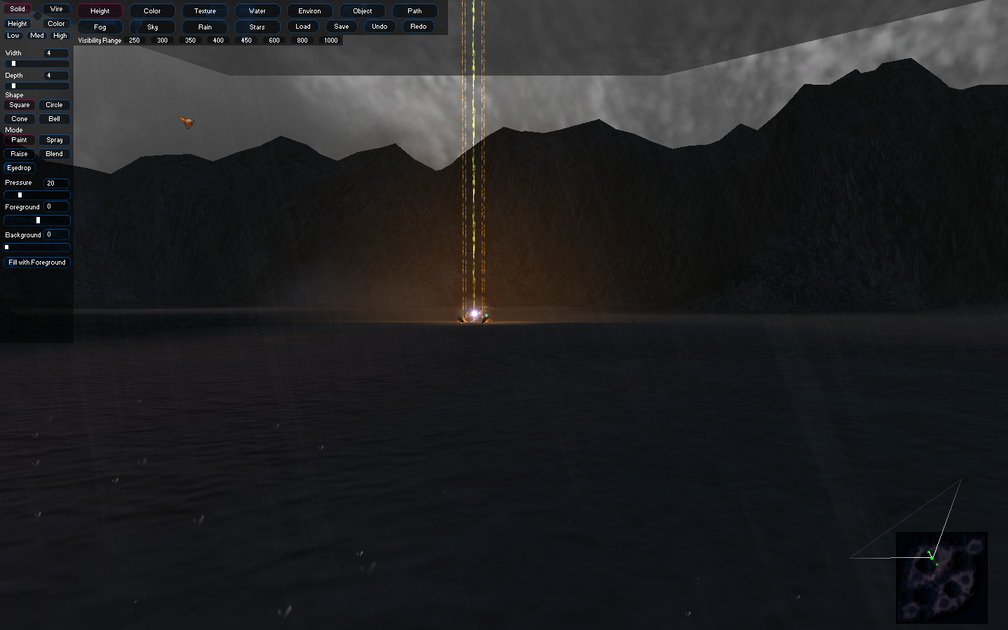
Latest build. Now the flare is raised, and the explosion effects are all raised above ground. This is completely undesirable. The smoke is squashed again and looks awful and too thick, the flames are raised so that only a tiny proportion of them touches the ground.
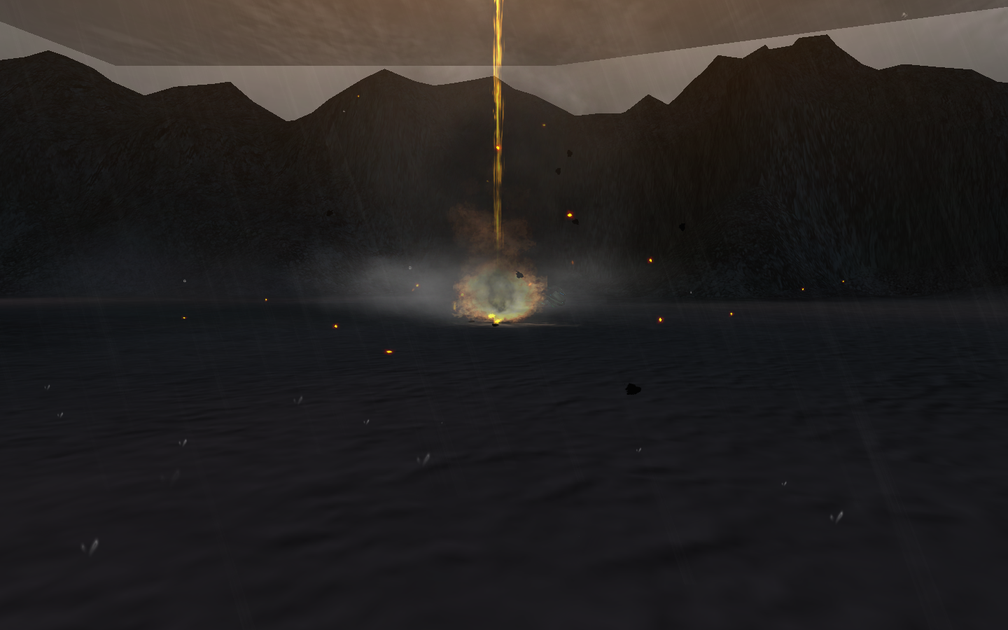
How its supposed to look. The flare effect is more obvious because its actually the correct shape, size and position, the flames actually look as if they are on the ground, not floating in the air, and the smoke is more seamless and less noticeable. Again, clipping over squashing.
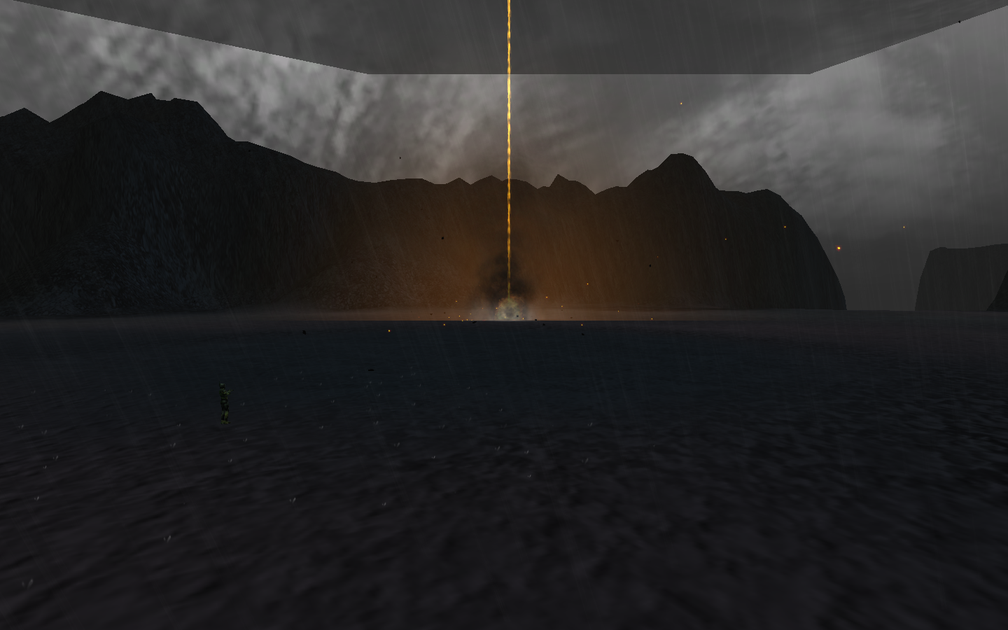
latest build. This is about as solid proof as i can get that terain interaction isn't desirable all the time. Those spiked flares are supposed to rotate at high speed to give the explosion more energy, and be based on the ground.
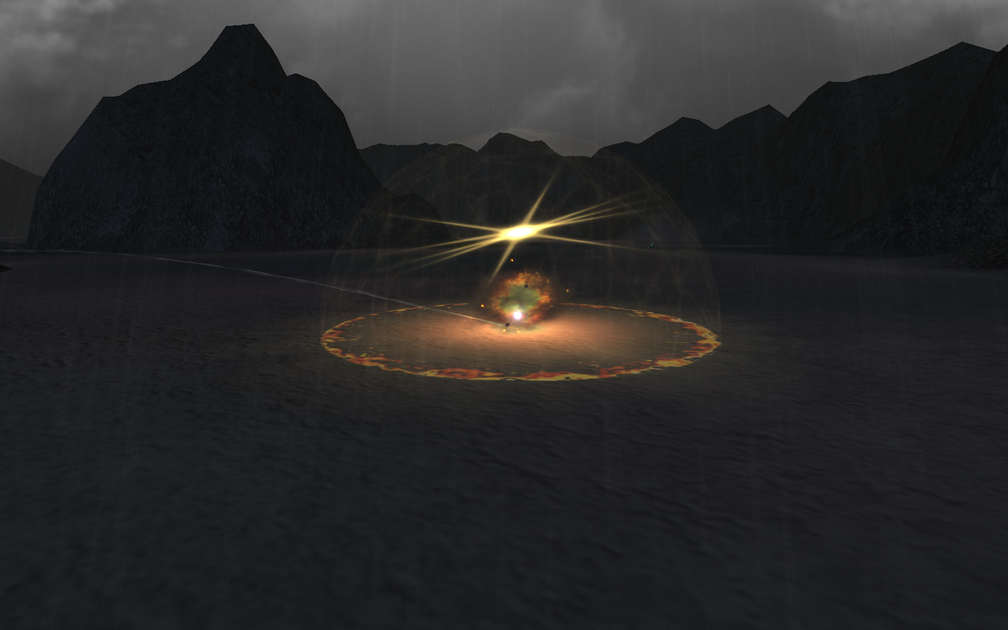
How its supposed to look. I don't think I really need to comment more on this one...
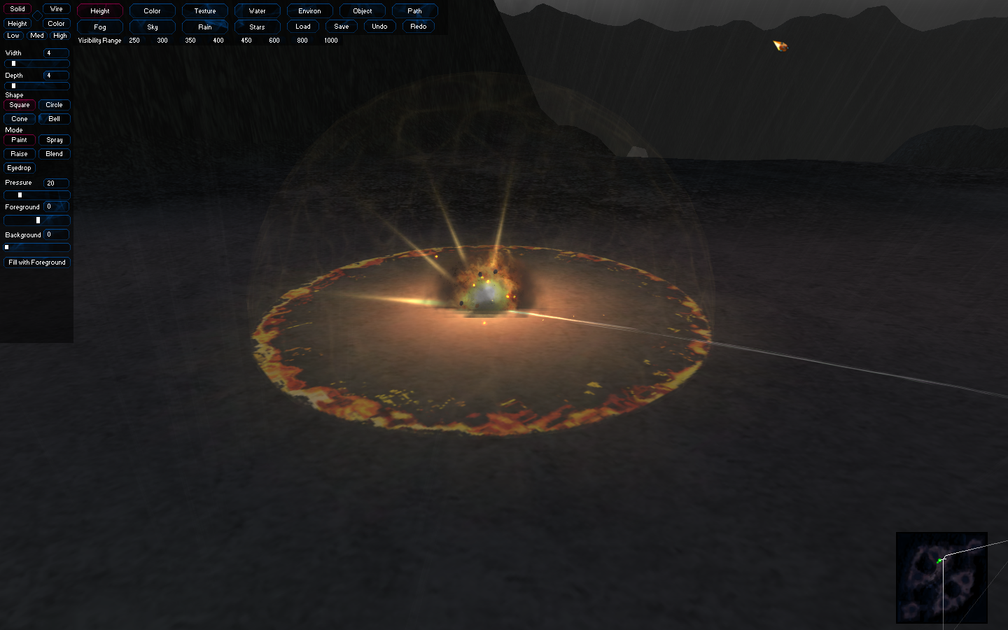
Now can I please have a toggle?
Screenshots. Each has a description. I think the last two in particular pretty much prove my point... And I WAS right about the raising. In fact, I was right about everything. Bare in mind these are just stills, in video form the effects are even more problematic and obvious.
Latest build. Minigun sprite is raised above ground and squished. Now the effect is an obvious blue artifact in the particle system.
1.3.6.1, How its supposed to look. The sprite is properly agaisnt the ground, it can be given random rotation and not appear to clip because of the way the sprite texture looks.
Latest Build. If the FAF missile gets close enough to the ground, the flare is raised and squashed, but moves completely away from the missile. In-game this looks ridiculous...
How its supposed to look. Notice that the clipping is far less noticeable than the raising and squashing of the sprite.
Latest build. This time the FAF ground explosion. Now all the smoke particles have been raised and have a far too distinct edge all the way around. Because they are squashed together, they also become way too obvious and thick, blocking out the rest of the effect.
How its supposed to look. The edging this time is caused by the customised lightflare.tga file, but the smoke itself is pretty much seamless into the surroundings. Again, the clipping effect is far less obvious than the raising and squashing.
Latest build. Again problems with the larger sprites being moved and squashed. This time a soft flare used in this effect to compensate for poor lighting effects is raised and squashed, it doesn't even look like its related to the rest of the effect...
How its supposed to look. Now the flare works properly. Again, clipping is barely noticeable, even with a sprite at this size...
Latest build. Now the flare is raised, and the explosion effects are all raised above ground. This is completely undesirable. The smoke is squashed again and looks awful and too thick, the flames are raised so that only a tiny proportion of them touches the ground.
How its supposed to look. The flare effect is more obvious because its actually the correct shape, size and position, the flames actually look as if they are on the ground, not floating in the air, and the smoke is more seamless and less noticeable. Again, clipping over squashing.
latest build. This is about as solid proof as i can get that terain interaction isn't desirable all the time. Those spiked flares are supposed to rotate at high speed to give the explosion more energy, and be based on the ground.
How its supposed to look. I don't think I really need to comment more on this one...
Now can I please have a toggle?
Re: Help with effects
I see your point. I'm sorry for asking but, can't you just make your mod compatible with 6.1 only then?
Re: Help with effects
first of all, wow on those effects. second, I think a toggle would be more desirable than just having your mod compatible with an older patch. not that 6.1 is older NOW, but it will be some time in the future.
Re: Help with effects
Well... no. Who the hell would download an old patch to play a mod that won't be out for several years anyway... (if ever). Plus at the moment it relies on some of the new features in the private patch, just not this one.GreenGuy wrote:I see your point. I'm sorry for asking but, can't you just make your mod compatible with 6.1 only then?
A toggle would be a simple fix. Stock would be 'fixed' as it is in your screens of 1.2 above, and I could set my effects up properly again too.
Remember just because something makes stock look like it used to, doesn't neccesarily mean its the better idea.
-
General BlackDragon
- Flying Mauler
- Posts: 2408
- Joined: Sat Feb 19, 2011 6:37 am
- Contact:
Re: Help with effects
Lol...You asked for it.
*sigh* Yea I think an ODF toggle for this new behavior would be preferred, with it defaulting to the 6.1 behavior. Or visa versa on default, whichever looks better in stock.
*sigh* Yea I think an ODF toggle for this new behavior would be preferred, with it defaulting to the 6.1 behavior. Or visa versa on default, whichever looks better in stock.

Re: Help with effects
I see, so you are using the sim-types in a way not originally considered that was only possible because of the clipping.
Re: Help with effects
Stock uses the same render set-ups, i.e. "sim_smoke" with "draw_twirl", but twirl is a very... useable renderBase. Especially for randomisation, as whenever a twirl is given a tiny amount of 'rotationRate', its initial rotation is always different. I always give my twirls a bit of rotation anyway, again for randomness and realism.
I only ever use draw_sprite when something needs its center point adjusted (like the stock bullet-ground explosion), as you have spriteCenter.Y and spriteCenter.X, but sprites don't support rotation like twirls, and from my experience tend to be a bit more performance-heavy too.
Some sort of flag to force TI off for twirls in the following manner would be ideal. Also, I bet the TI causes the same problems with draw_twirl_trail too, as all that is is a collapsed sim_smoke simulation, drawing twirls from an emitter.
I only ever use draw_sprite when something needs its center point adjusted (like the stock bullet-ground explosion), as you have spriteCenter.Y and spriteCenter.X, but sprites don't support rotation like twirls, and from my experience tend to be a bit more performance-heavy too.
Some sort of flag to force TI off for twirls in the following manner would be ideal. Also, I bet the TI causes the same problems with draw_twirl_trail too, as all that is is a collapsed sim_smoke simulation, drawing twirls from an emitter.
Code: Select all
[ExampleRender]
simulateBase = "sim_smoke" // viable options: "sim_ember", "sim_chunk", "sim_spray", "sim_null"
lifeTime = 1.0
renderBase = "draw_twirl" // viable options: "draw_sprite", "draw_sphere", "draw_light", "draw_twirl_trail", "draw_trail", "draw_geom", "draw_bolt", "draw_planar", "draw_wave"
textureName = "RT_LightFlare_M1.dxtbz2"
textureBlend = "one one modulate" // "srcalpha invsrcalpha modulatealpha"
startColor = "255 255 255 5000"
finishColor = "255 255 255 0"
startRadius = 3.0
finishRadius = 7.6
animateTime = 1.0
rotationRate = 6.0
terrainInteraction = false // if false, disables terrain interaction, i.e. squashing and positioning.
Re: Help with effects
So all stock effects will have this on true. But you will have to toggle it on false on your own effects?
Re: Help with effects
yup, this exactly.GreenGuy wrote:So all stock effects will have this on true. But you will have to toggle it on false on your own effects?