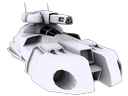
My guess is no, I've set everything up right in the model and whatnot, and its a fairly decent animation, will be a shame if it doesn't work.
Anybody confirm this for sure?
so, does aircraft class support a 'deploy' animation?
Moderators: GSH, Commando, Red Devil, VSMIT
-
General BlackDragon

- Flying Mauler
- Posts: 2408
- Joined: Sat Feb 19, 2011 6:37 am
- Contact:
Re: so, does aircraft class support a 'deploy' animation?
Theoretically, no.
But, again, theoretically there is this:
If you figure out how to get that to work, please tell me.
But, again, theoretically there is this:
Code: Select all
- Fix for mantis #2435. Added, to ODFs:

[GameObjectClass]
InitAnimation = ""
RunAnimation = ""
InitAnimIsLooped = false
RunAnimIsLooped = true

   If the first two entries are not blank, it attempts to use them.
The last two entries are flags as to whether the anim is looped or
1-way; if the init anim is looped, I don't think it'll ever proceed to
the run anim. Note that certain classes (e.g. extractor) have their
own code that can act like this. Specifying these new parameters for
those classes could cause conflicts and is not recommended. Compiles
but is untested.

   Special note: looking in the code, anything w/ a deploy anim
possible (including, but not limited to aircraft, construction rigs,
persons, scavengers/hoverscavs, service trucks/hover service, tracked
deployables (and derived like commvehicle, deploybuilding,
recyclervehicle), tugs, and turret tanks) wait for animations to cease
before state transitions are allowed. Thus, putting a RunAnimation,
especially a looped runanim, on them will probably prevent state
transitions. If you have problems, then don't put anims on those
units. [NM]Re: so, does aircraft class support a 'deploy' animation?
I've got that working, but thats only used for setting up loop animations, not deploy/undeploy ones.
Heres the code to make that work, this is from Serenesis' Speeder ODF that has a spinning turbine animation. The Initanim seems a bit wonky mind.
Heres the code to make that work, this is from Serenesis' Speeder ODF that has a spinning turbine animation. The Initanim seems a bit wonky mind.
Code: Select all
animCount = 2
animName1 = "initanim"
animFile1 = "IVSweep_Loop.xsi"
animName2 = "runanim"
animFile2 = "IVSweep_Loop.xsi"
InitAnimation = "initanim"
runAnimation = "runanim"
-
General BlackDragon
- Flying Mauler
- Posts: 2408
- Joined: Sat Feb 19, 2011 6:37 am
- Contact:
Re: so, does aircraft class support a 'deploy' animation?
Ah, i thought the animation name was an XSI name,  whoops.
Thank you.
whoops.Thank you.
Re: so, does aircraft class support a 'deploy' animation?
Yeah me too haha, BBB was the one who figured it out first.
-
MrTwosheds
- Recycler
- Posts: 3059
- Joined: Sat Feb 19, 2011 8:37 am
- Location: Outer Space
- Contact:
Re: so, does aircraft class support a 'deploy' animation?
animName# in the odf can be used several ways, you either specify one of the "fixed" names used by the units class such as "deploy" or "walk" and now "Initanim" etc. Or it refers to the name of the animation in the xsi animation section, So in the odf
animName1 = "TurnTube01"
will activate in xsi
AnimationSet {
Animation anim-TurnTube01 {
{frm-Tube01}
But an instruction to run "TurnTube01" would need to be scripted in a dll, you can script custom animations in missions this way.
animName1 = "TurnTube01"
will activate in xsi
AnimationSet {
Animation anim-TurnTube01 {
{frm-Tube01}
But an instruction to run "TurnTube01" would need to be scripted in a dll, you can script custom animations in missions this way.